How Can I View the Services Included in a Fare?
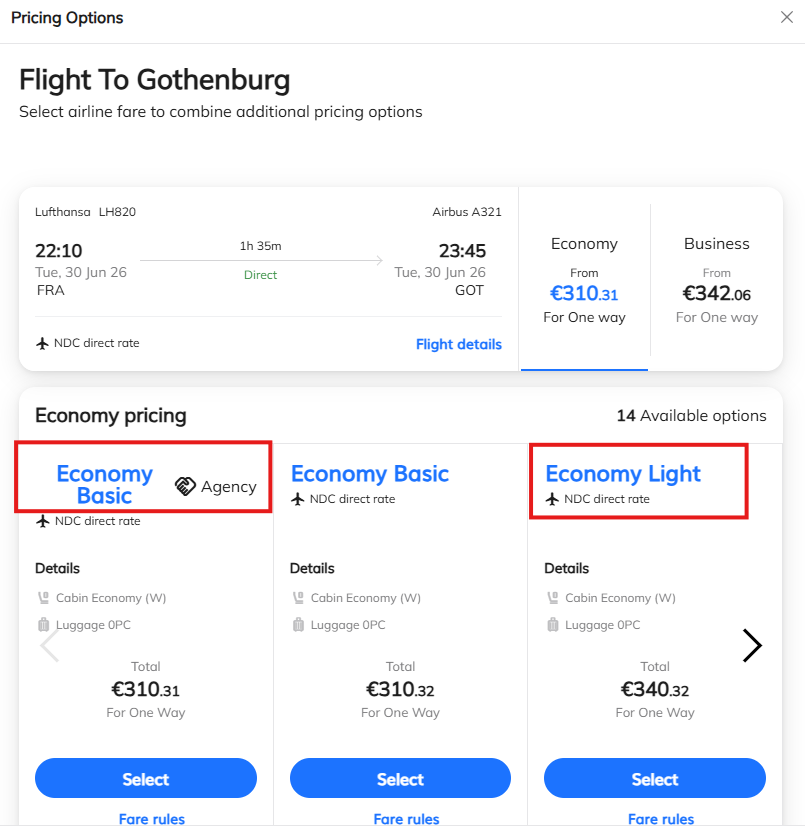
Airlines often offer different fares for the same flight. For example, Lufthansa may offer fares such as “Basic” and “Light” on certain routes.
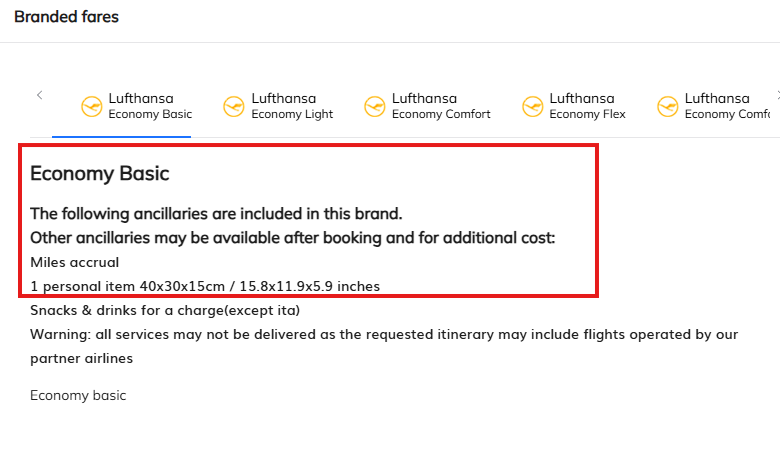
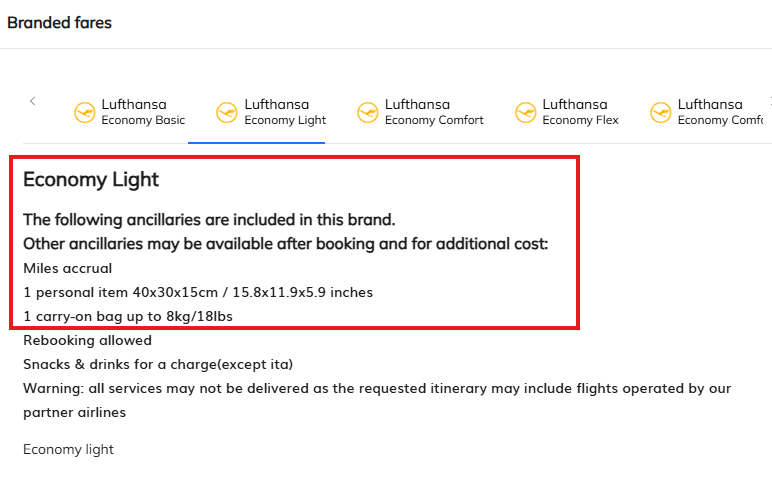
The services included can vary between fares. One fare may only include a small personal item, while another may additionally allow a larger cabin bag of up to 8 kg. Depending on the fare, other services may also be included.
To ensure you select the fare that best meets your needs, you can easily view the included services directly within the booking portal.
How to View Included Services
- Search for your desired flight.
- Click on the fare name (e.g. “Economy Basic”, “Economy Light”, or a similar fare type).
- A detailed overview of the services included in that fare will open.
- Compare the available fares and select the option that best suits your travel requirements.
The attached screenshots and GIF demonstrate the process step by step.
Was this article helpful?
That’s Great!
Thank you for your feedback
Sorry! We couldn't be helpful
Thank you for your feedback
Feedback sent
We appreciate your effort and will try to fix the article